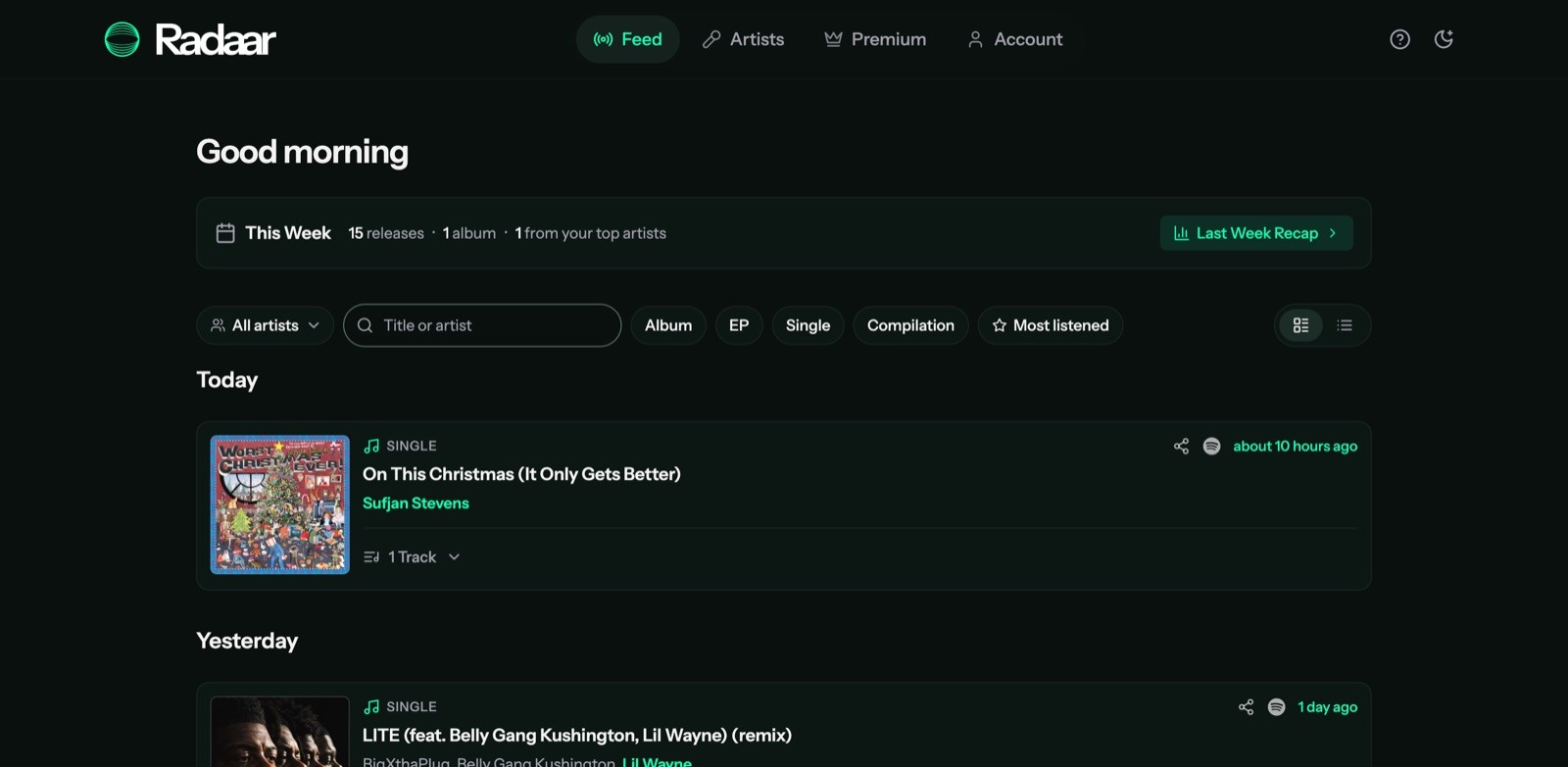
Follow a few hundred artists and Radaar.app, the new music release tracker, puts hundreds of releases a month in your feed: singles, remixes, deluxe editions. You see everything, which is the point. On a Saturday morning, though, you might want only the new albums, or only the EPs from the artists playing your next festival. The filter bar above your feed gets you there in a click or two.
Every filter in one row
Open your Feed. Above the releases you'll find, from left to right:
- All artists ▾, to pick one of your lists (it shows once you have a list)
- the search box, Title or artist
- Album, EP, Single and Compilation
- Most listened
- Clear filters, with a count of the filters that are on
- the layout switch, Comfortable or Compact
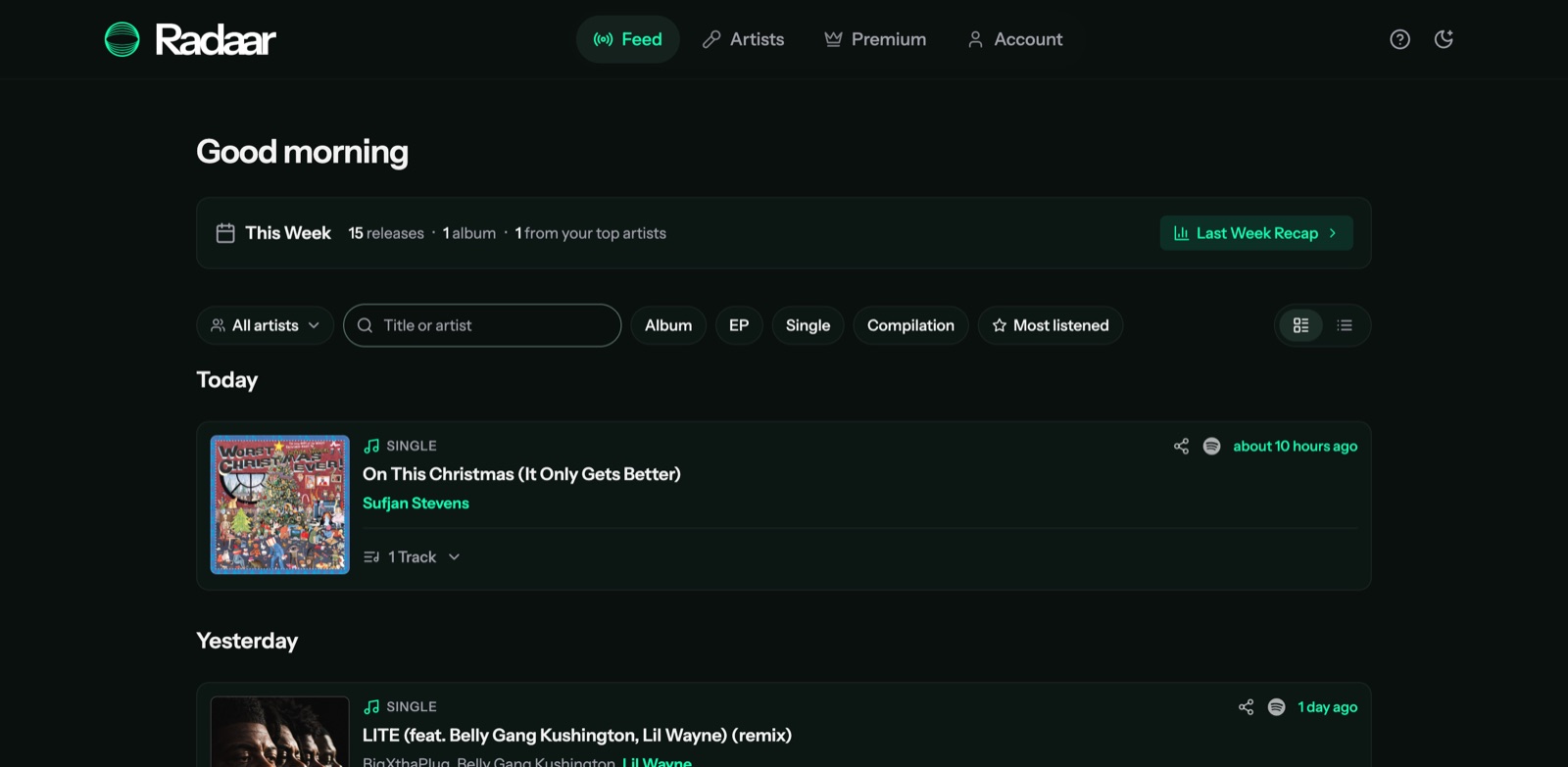
Every filter in one row.
Show one list
If you've sorted your artists into lists, All artists ▾ switches the whole feed to one of them. The menu shows each list with its artist count. Pick one and you only see releases from that list's artists. All artists takes you back to everyone, and Manage lists opens the Artists page, where you make and fill lists.
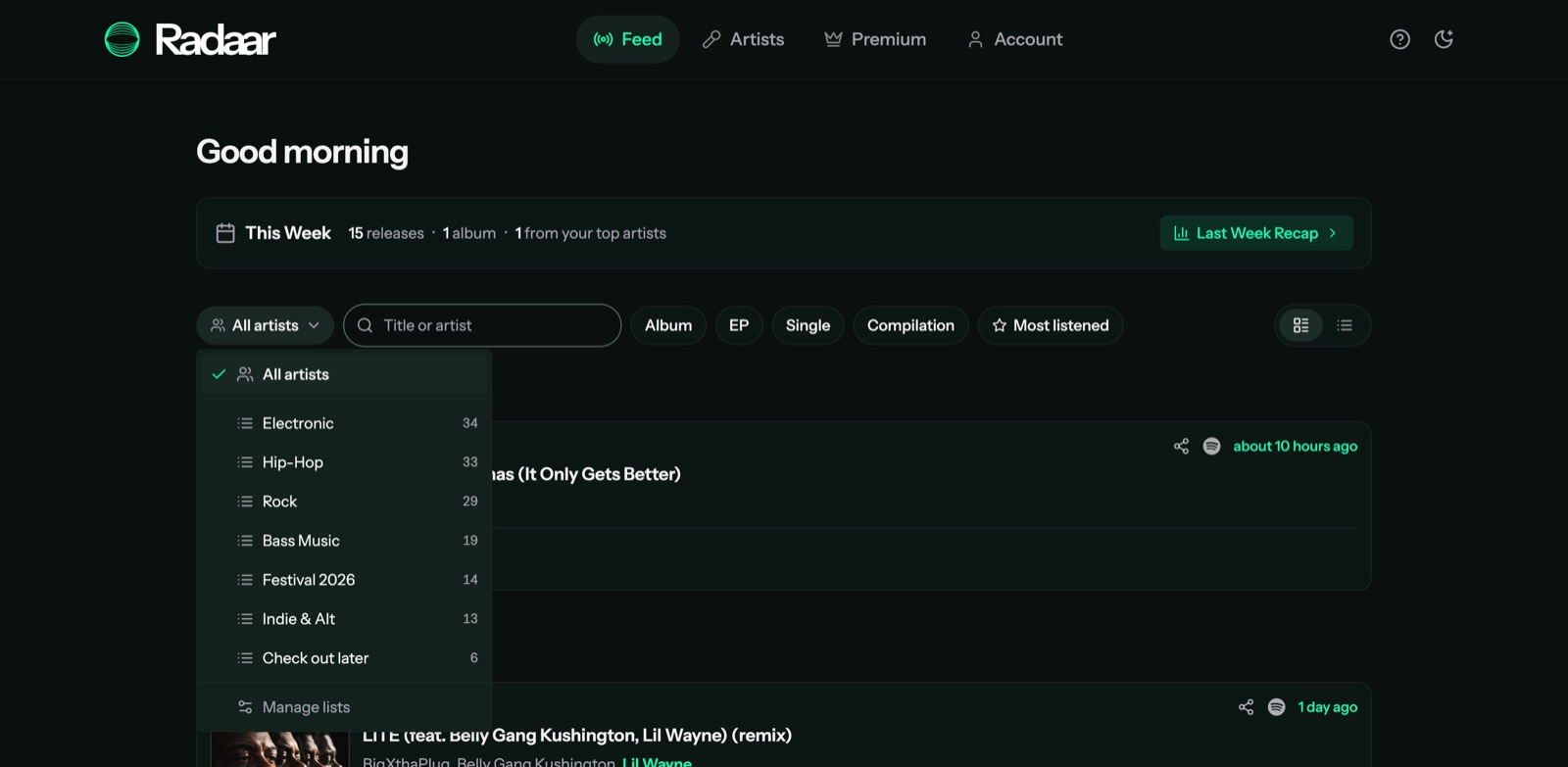
Switch your whole feed to one list.
You pick one list at a time. The active list stays highlighted in the bar, so you always know which view you're in.
Search without the accents
Type part of a release title or an artist name in Title or artist. Capitals and accents don't matter: "beyonce" finds Beyoncé, and "jay z" finds JAŸ-Z. With several words, a release has to match all of them.
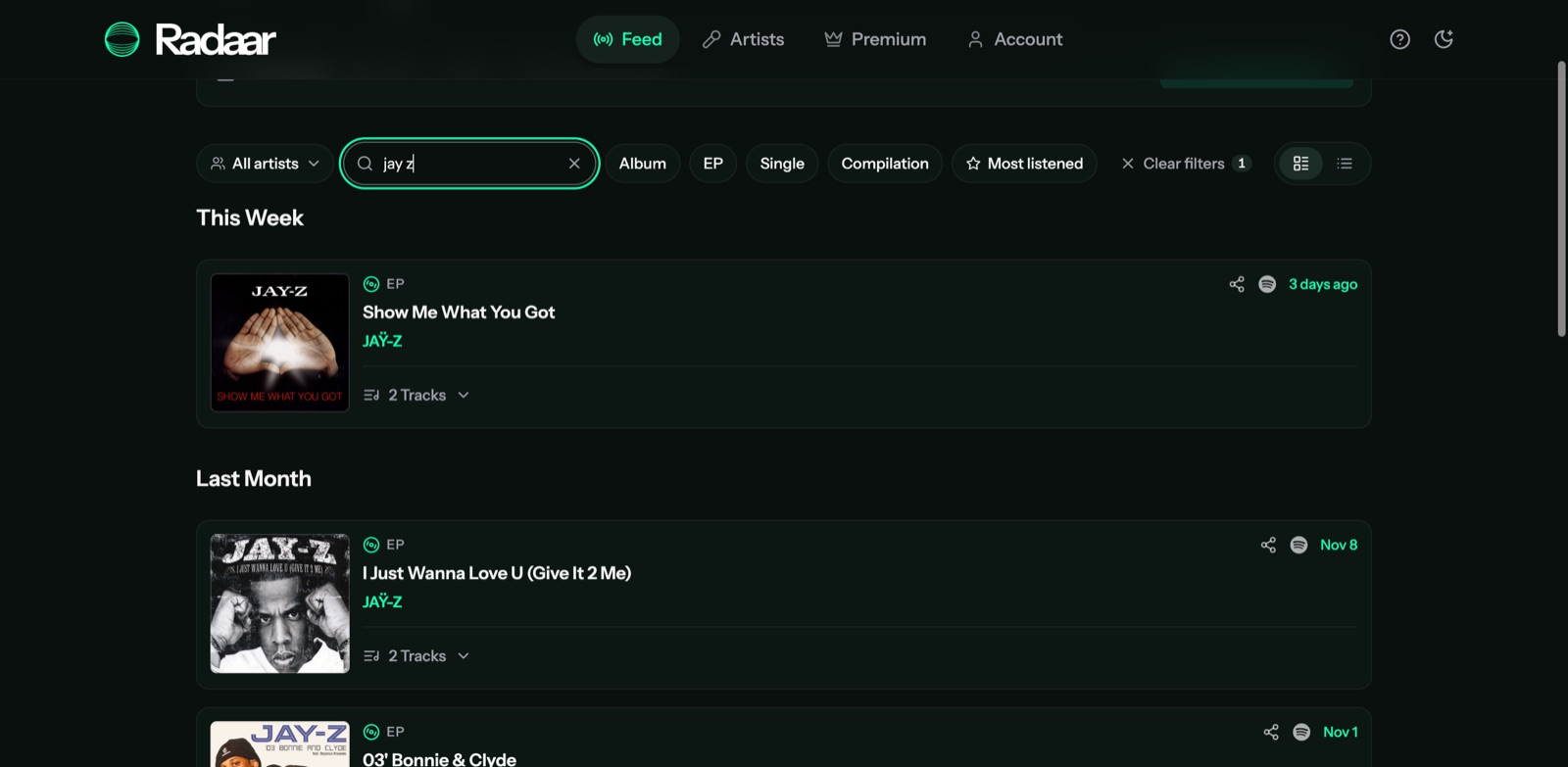
No need to type the umlaut.
Albums, EPs, singles
Album, EP, Single and Compilation each show one type of release. Pick one, or several at once.
Spotify itself doesn't have an EP type. It files EPs as singles. Radaar.app treats a "single" with more than one track as an EP, so you can find the EPs without scrolling past every one-track single.
Most listened
Most listened keeps only the releases from your most listened artists on Spotify. These are the artists with a star badge on their releases in your feed. Turn it on when you only have time for the artists you play the most.
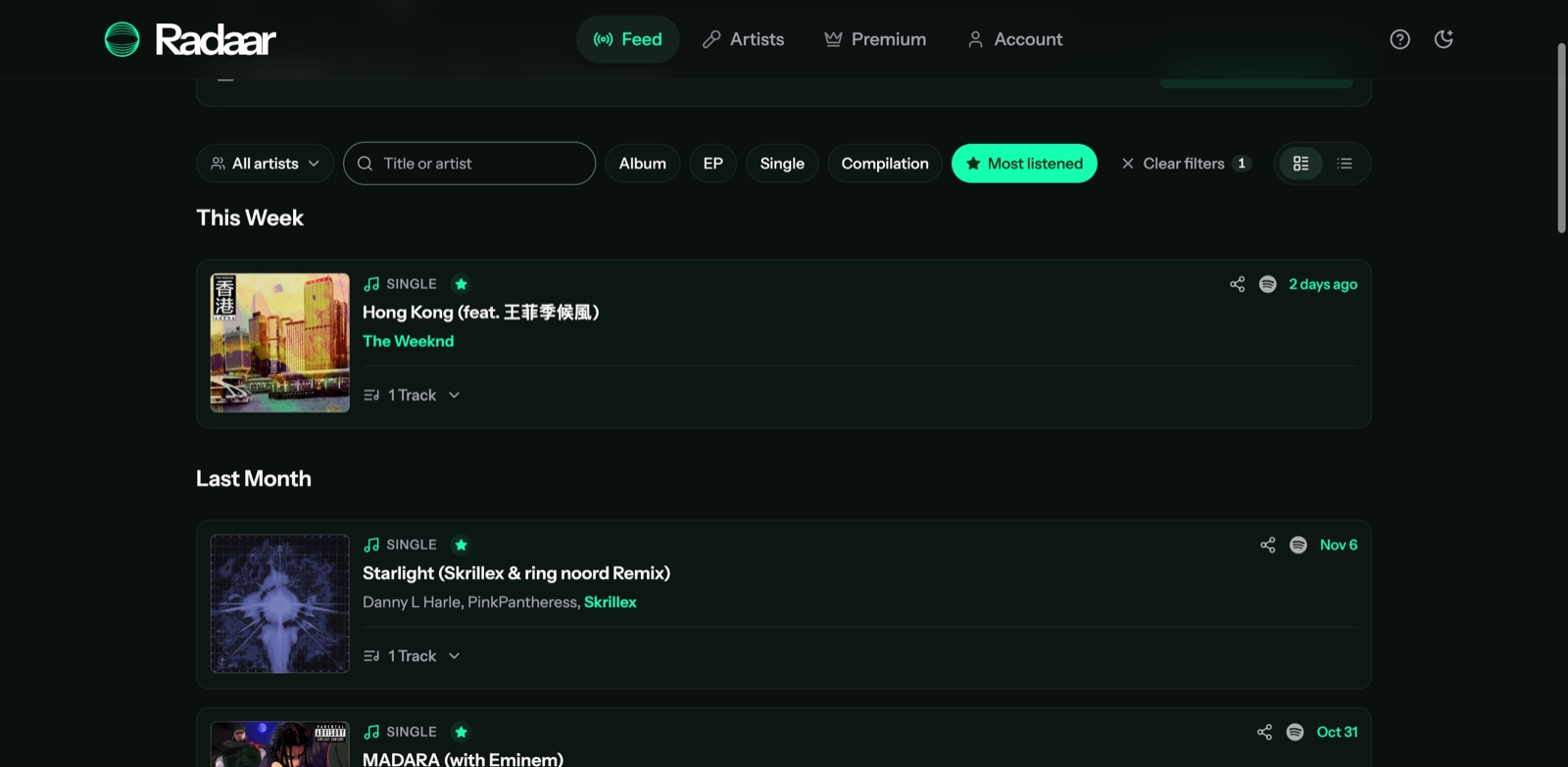
Only your most listened artists.
Combine them, clear them, bookmark them
Filters stack. Pick your Festival 2026 list and EP, and you get the EPs from that lineup. Turn on Album and Most listened for the new albums from your top artists. Clear filters shows how many are on and turns them all off in one click.
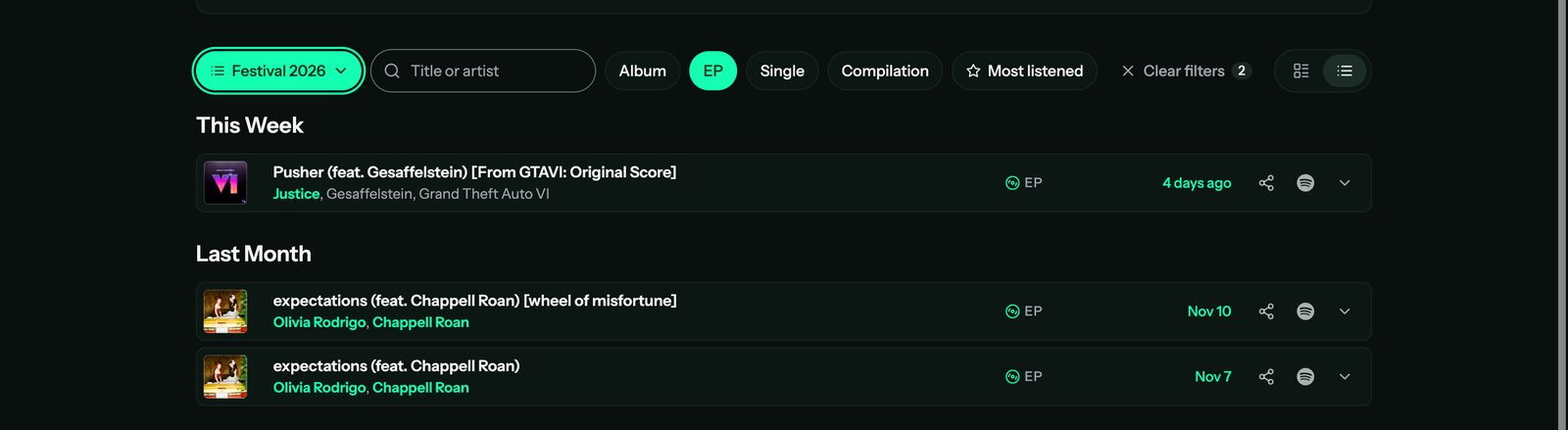
The EPs of one list, in the compact layout.
Your filters are part of the page address. Reload the page and they're still on. Bookmark a view you use often, like "EPs from my Festival 2026 list", and it opens with the same filters next time.
Filters look through your whole feed, not only the releases on screen. Keep scrolling to see every match. The feed goes back 6 months on the free plan and 3 years on Premium and Pro.
When nothing matches, Radaar.app says so and gives you a button to clear the filters. When a list shows no releases because none of its artists are synced, the feed tells you that too, with Open list to sync them or Show all artists. Only synced artists bring releases into your feed.
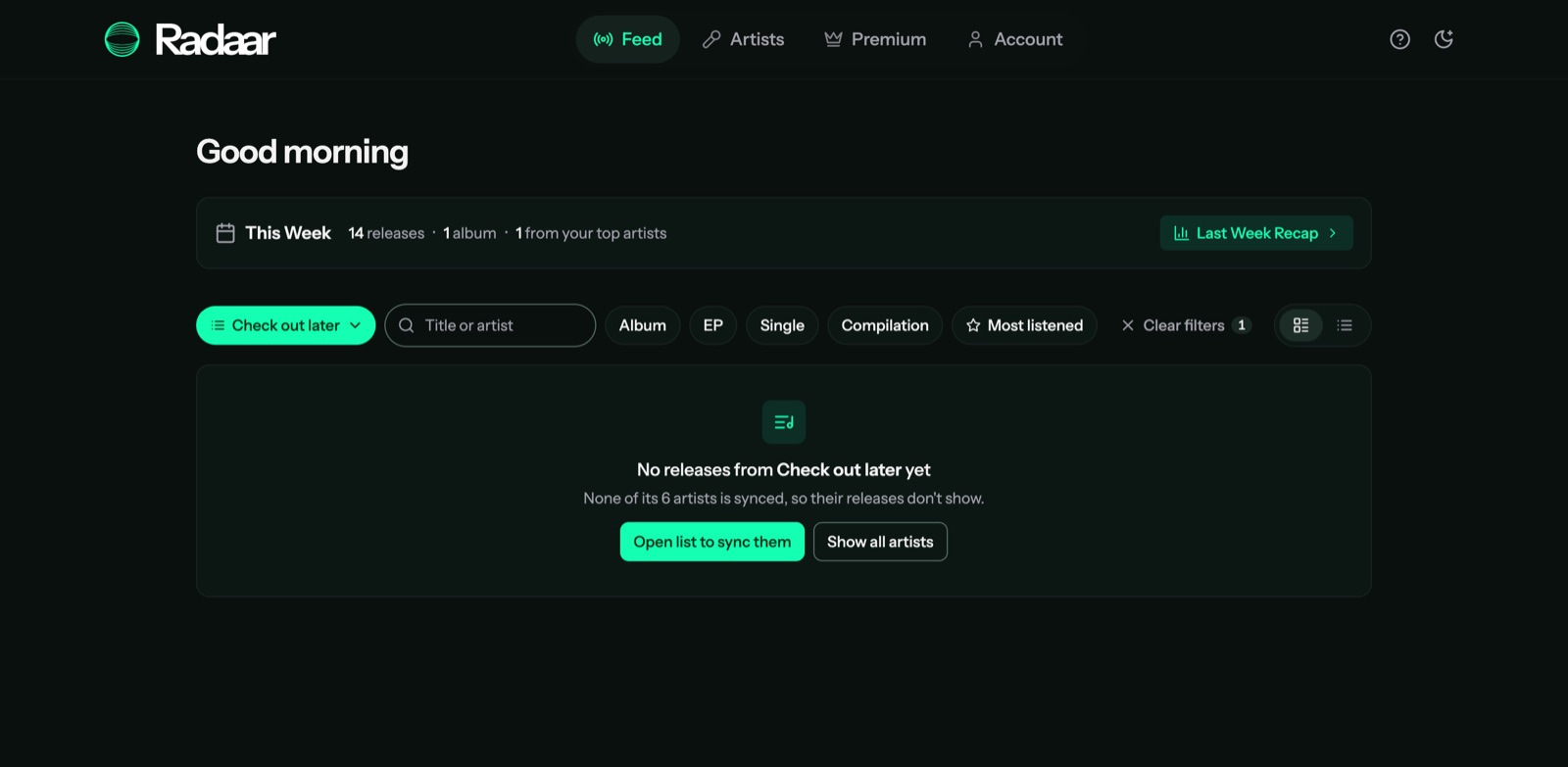
When a list is empty, the feed tells you why.
On your phone
On a phone, the list, type and Most listened filters sit behind a Filters button next to the search box, so your releases get the screen. A number on the button tells you how many filters are on. Tap it to show or hide them.
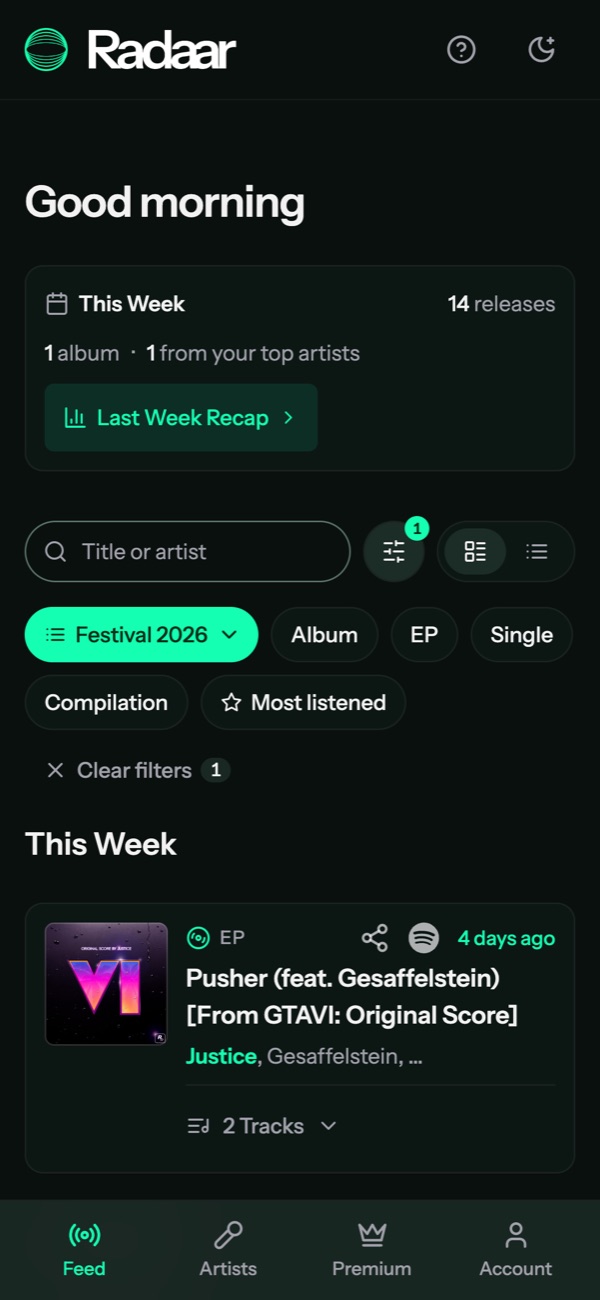
The filters open with one tap.
Scan more at once with the compact layout
The two icons at the end of the filter bar switch between Comfortable and Compact. In Compact, each release takes one row: artwork, title, artists, type and date. You see many more releases per screen, which helps when you're catching up on a few weeks. Each device remembers your choice, and the filters work the same in both layouts.
Try it on your feed
Radaar.app is free for up to 100 synced artists. Connect Spotify, and your feed fills with new releases from the artists you follow, ready to filter.
Want to see everything that came out this week, without an account? The New Music Friday page lists it.
Hugo
Founder @ Radaar