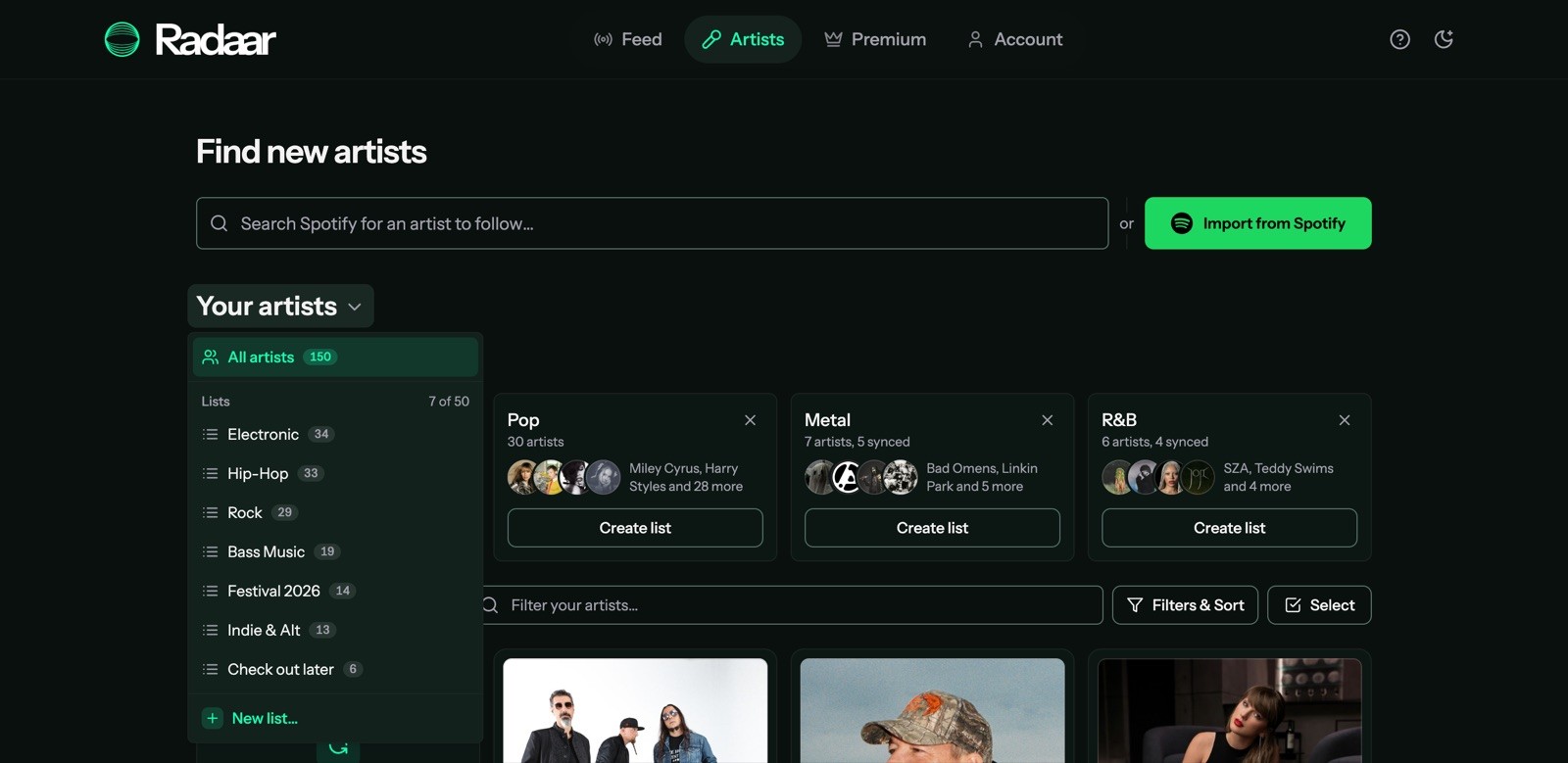
Follow 300 artists on Spotify and you get one big pile. Your techno producers sit next to the band you saw once at a festival, and your feed mixes them all together. Now you can sort your Spotify artists into lists in Radaar.app, the new music release tracker: by genre, by scene, by festival lineup, or a "check out later" list. Each list can filter your feed and keep its own Spotify playlist up to date.
Start with the lists Radaar.app suggests
You don't have to build your lists by hand. Open the Artists page and you'll see Suggested lists under the page title: one card per genre that holds at least 5 of your artists, with their faces and names.
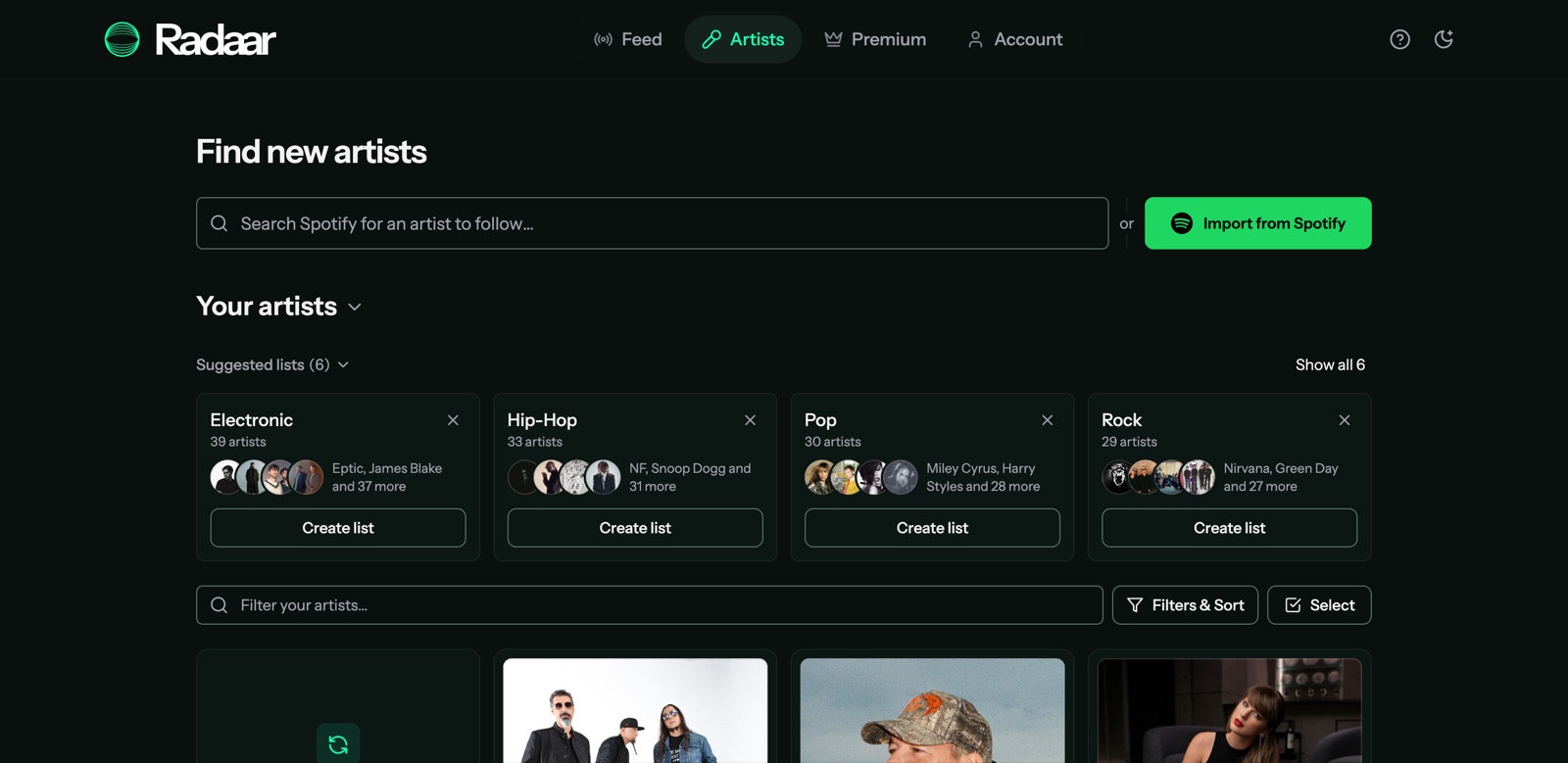
Radaar.app suggests lists from the genres you already follow.
Create list makes the whole list in one tap. The Electronic card above turns into a list of 39 artists, and a message lets you Undo or Open it. If a suggestion is wrong for you, × hides it for good. Tap the Suggested lists title to fold the cards away.
The genres come from public music databases. A new artist can take a few days to get one. Radaar.app skips a genre that covers nearly all your artists, since that list would hold everyone.
Radaar.app never adds artists to your lists without asking. When you follow more artists of a genre you made a list from, the card tells you: "5 new artists fit your list". Review lets you add them one by one, Add all takes them all, and × leaves them out.
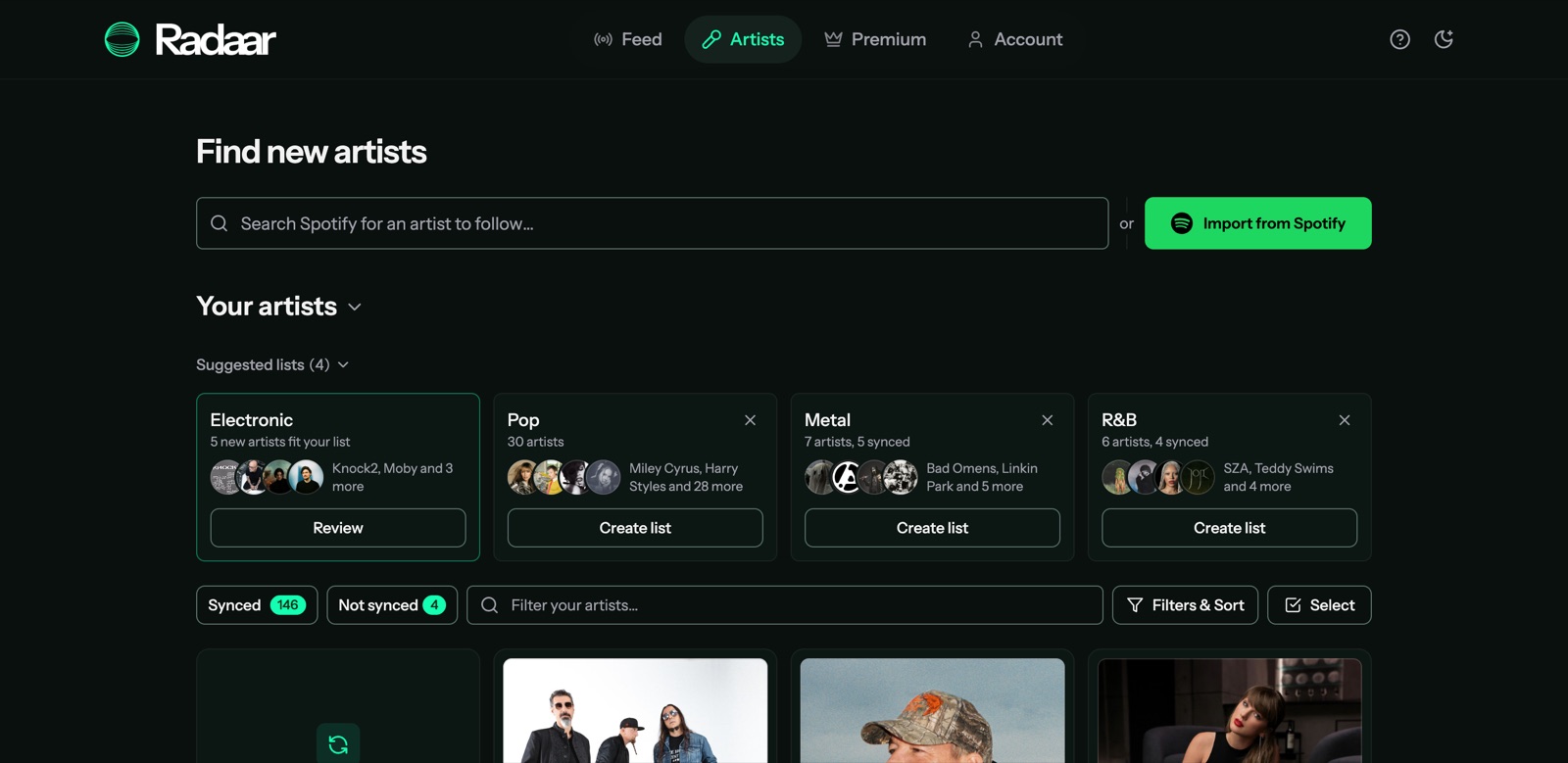
Follow more electronic artists and your list asks before adding them.
Make your own list
A festival lineup, the artists you manage, or the ones a friend recommended don't share a genre. For those, tap the Your artists title, then New list…. Give it a name (up to 50 characters), switch on Spotify playlist if you want one, and press Create list.
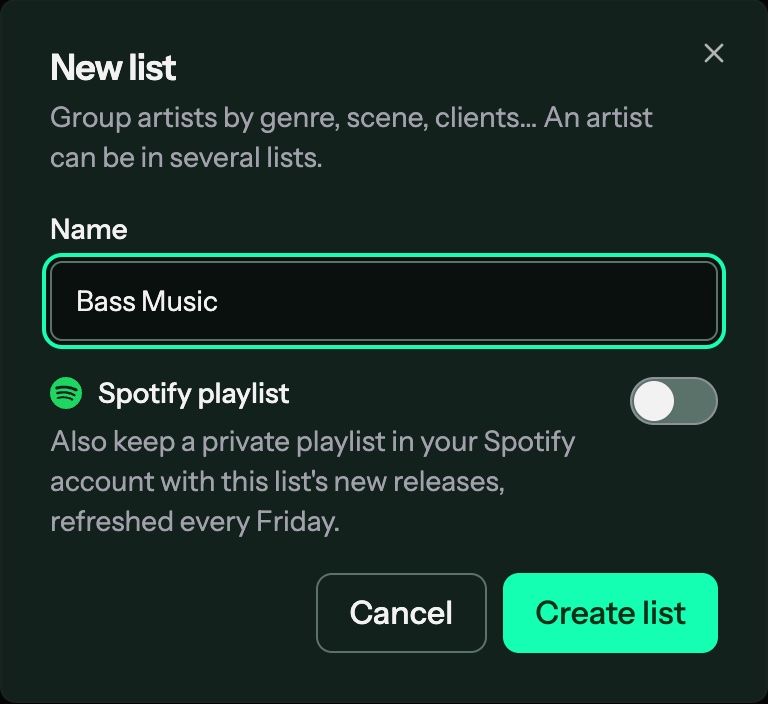
Name it, and get a Spotify playlist from day one if you like.
The list opens with Add artists to list, ready to fill. There are three ways to put artists in it:
- From the list. Add artists to list shows a grid of your artists. A click adds an artist, a second click removes them. The search box looks through your artists and Spotify too, where Follow and add follows a new artist and adds them in one go.
- From one artist. Open the ⋯ menu on an artist, choose Lists… and tick the lists you want. It saves at once, with Undo in case you misclick. The same menu is on the artist card in your feed.
- Many at once. Press Select on the Artists page, pick the artists, then Add to list.
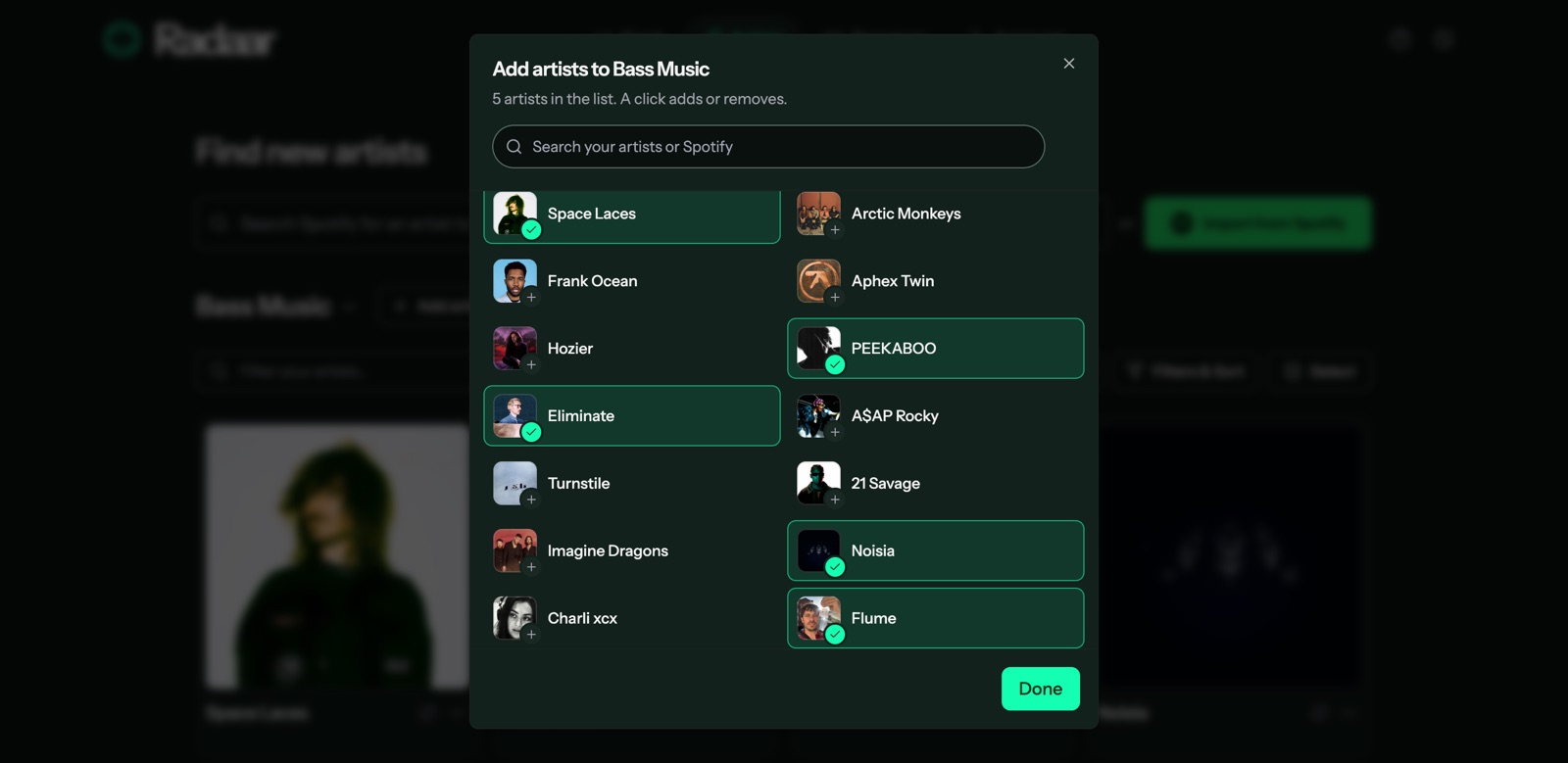
A click adds, a click removes.
An artist can be in as many lists as you like. Tame Impala can sit in Rock and in Festival 2026 at the same time.
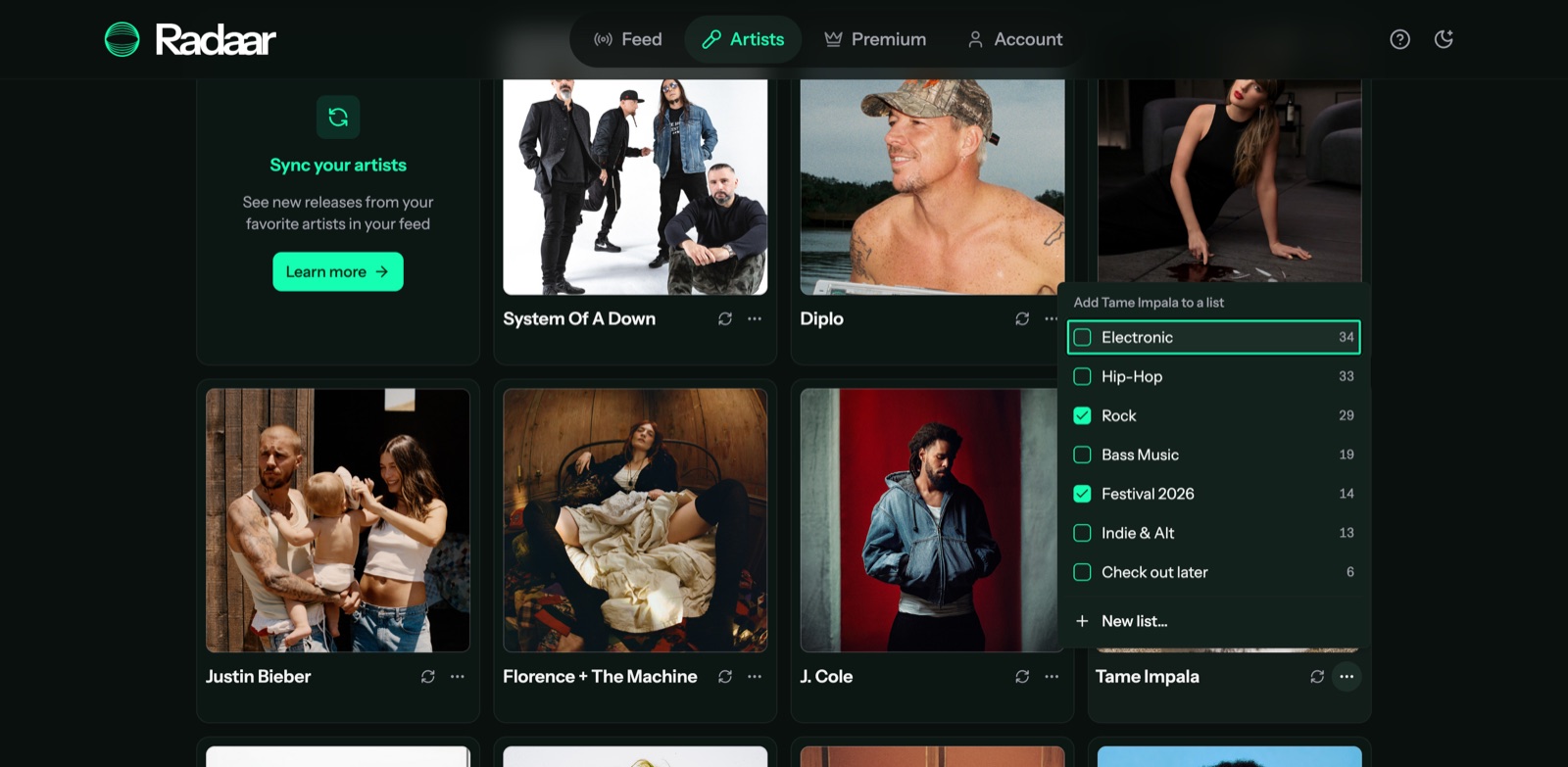
Put any artist in any list, right from their card.
Taking an artist out of a list doesn't unfollow them. Unfollowing an artist removes them from all your lists.
Open, rename and delete a list
All your lists live in the Your artists ▾ menu, each with its artist count. Pick one and the page narrows to it: the title becomes the list's name, and search, filters and sort work inside it. The list is in the page address, so you can bookmark it.
The gear next to a list in that menu opens List settings. You rename the list there, set up its playlist, or press Delete list. Deleting asks you to confirm, offers Undo, and never unfollows anyone.
A Spotify playlist for each list
Turn on Spotify playlist in a list's settings, and Radaar.app creates a private playlist in your Spotify account, named after the list. It fills it right away with the last month of releases from the list's synced artists, newest first.
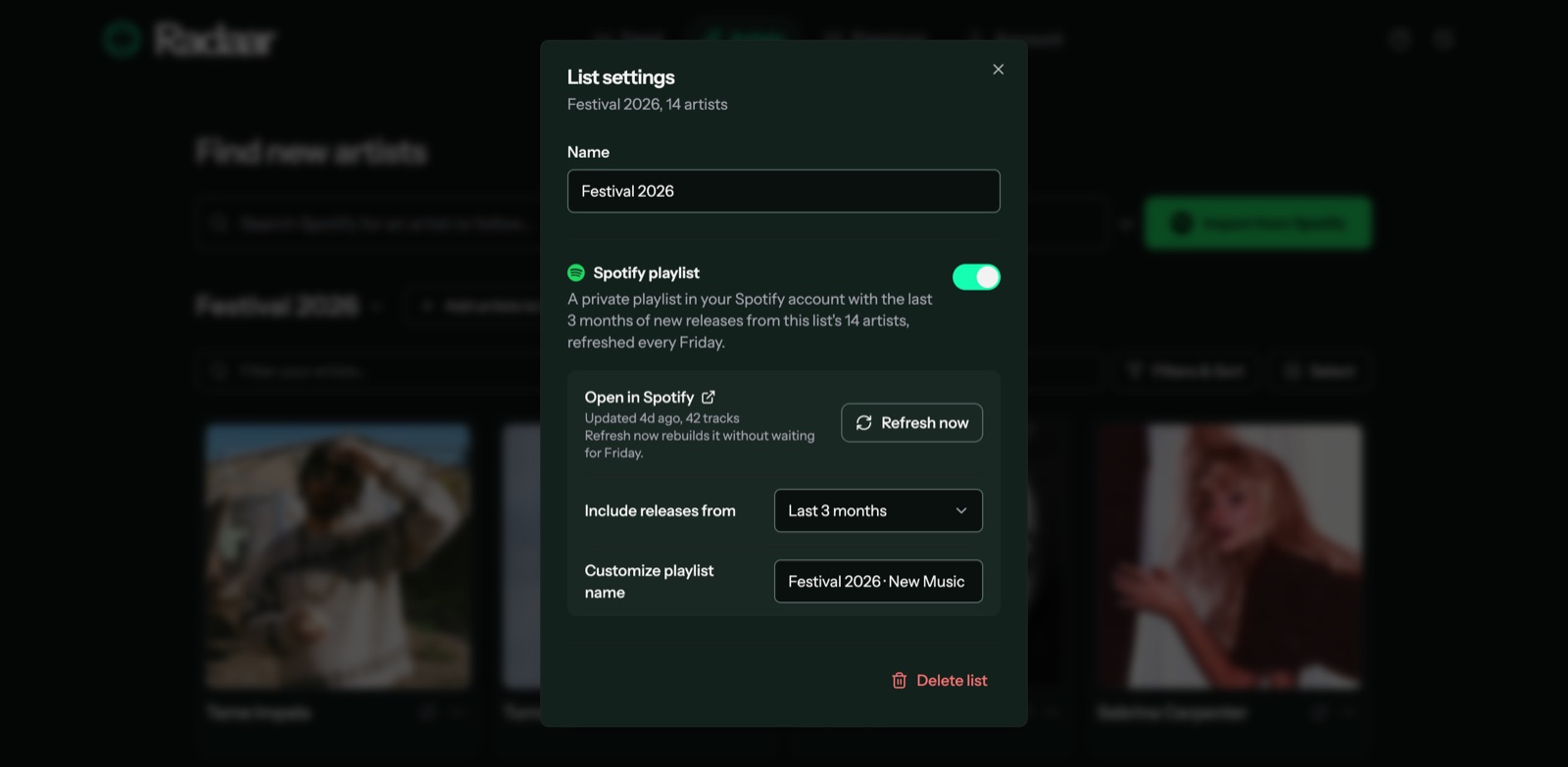
A private playlist that refreshes itself every Friday.
From then on:
- Every Friday morning, Radaar.app rebuilds the playlist. If nothing changed, it leaves it alone.
- Refresh now rebuilds it whenever you want, once an hour.
- Renaming the list renames the playlist.
- Releases that are no longer on Spotify are left out.
- Turning the switch off stops the updates but keeps the playlist in your Spotify account. Deleting the list asks whether to delete the playlist too.
A Spotify icon appears next to the list's name and opens the playlist.
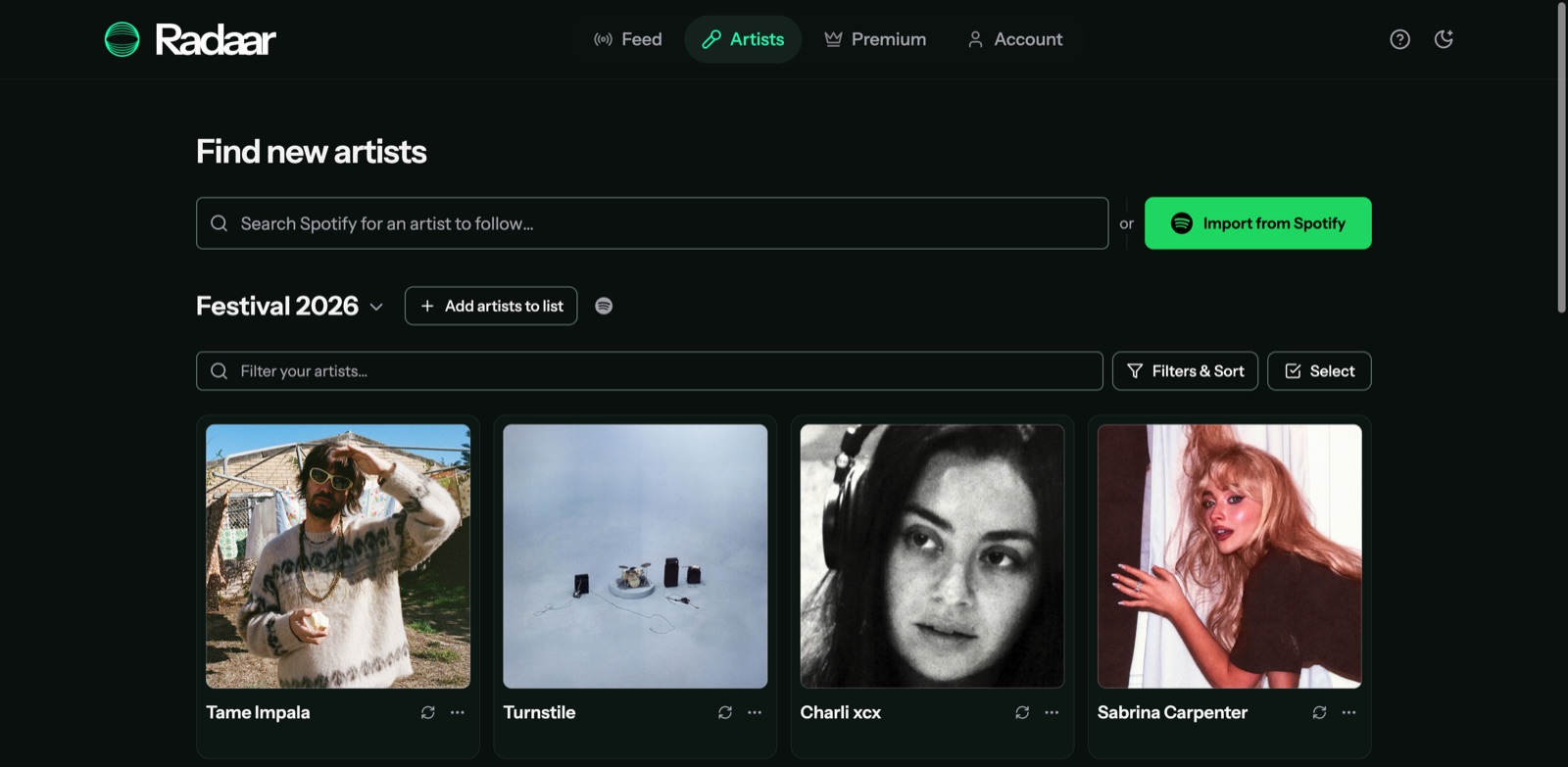
The Spotify icon opens the list's playlist.
These playlists are separate from your weekly recap playlist, which covers all your synced artists. Use the recap for everything that came out this week, and a list playlist for one scene.
Only synced artists bring releases into the feed and the playlists. A list can hold artists you haven't synced, and List settings offers Sync to sync them in one go, within your plan's limit.
Filter your feed by list
Once you have a list, your feed gets an All artists ▾ picker above the releases. Pick a list and the feed shows only its artists' releases. It works with the other filters, so "the EPs from my Festival 2026 list" takes two clicks.
Free and Premium
The free plan includes 3 lists, and every list can have its own Spotify playlist. Premium and Pro go up to 50 lists, and let you choose how far back each playlist goes (the last 2 weeks, month, 3 months or 6 months) and give it a custom name. If you go back to the free plan, you keep every list. The lists past the first 3 become read-only, and their playlists stop updating, until you upgrade or delete some. See pricing for the plans.
Try it
Radaar.app is free for up to 100 synced artists. Connect Spotify, open Artists, and turn your pile of artists into lists.
Want to see what came out this week first? The New Music Friday page lists every new release from the artists Radaar.app tracks.
Hugo
Founder @ Radaar